Benjamin Ellis

Benjamin – Not Ben – Jamin on the Net

Camps and Unconferences – What and How

Over the last year or so I have been to a few dozen camps (mediacamp, socialmediacamp, homecamp, …) and unconferences, but I realised that I’ve never explained the concept or how they work. This post should straighten that out.

What is a Barcamp? What is an Unconference?

It is a little hard to explain, or rather it is easier to understand when you experience it. Traditional conferences involve a few dozen experts presenting to an audience of several dozen listeners. That might be good if the listeners are new to the topic and all want to learn the same thing, and that is well understood.

What if the room is full of people who are almost equally experts? What if the organisers don’t know what people want to know? That is when an unconference comes in to its own. Imagine an environment where everyone is expected to be an organiser, and where the agenda is decided on the day. That is essentially what an unconference is. Lightweight organization, and extensive participation.

BarCamp is most easily understood as a specific type of unconference. It is more complex than that, and there is quite a bit of history/lore to it. A number of years ago O’Reilly set up a conference for the Friends Of O’Reilly (FOO) who were doing interesting things (Foo Camp). And rather cool it was too. However, not everyone could go. People wanted an alternative. Foobar is a common placeholder name in computing circles. Foobar camp with out the FOO is clearly a bar camp. Or something like that.

The concept goes back quite a way – a least to Harrison Owen’s book Open Space Technology (1997) – see openspaceworld.org for more on that. The Open Space methodology is similar, although the ideas are a little different (see wikipedia entries for Unconference and BarCamp).

What should you expect when you go to a barcamp? That question is nicely answered here. It isn’t as scary as it might sound. You’ll meet new people, learn somethings, and have to opportunity to share some of what you know (which is more than you think)!

How do I Run an Unconference or Barcamp?

Darren Barefoot of Capulet Communications has a nice post on how to run a great barcamp. The venerable post on clever clever girl is good too: Ten Steps to Organizing a Barcamp. There are even more resources on the event manager’s blog: 20+ resources for a smooth BarCamp.

That said, this is one instance where doing is the best form of learning. Go along to a few barcamps and see what works and what doesn’t. Get involved in helping to run an existing camp or unconference with people who have done it before. With that learning under your belt, you’ll be ready to have a go yourself, assuming you are already a good facilitator.

(other pointers gratefully received… Crowdsourcing is good, usually).

Posted 1 year, 3 months ago at 12:16 pm. 2 comments

Conference Photography

I spend a fair amount of my photography hours taking pictures at events / conferences, so the post “how to photograph a conference – 10 tips” on digital Photography School obviously piqued my interested when I saw it in my RSS feed. Here are the 10 tips, and my own comments:

1. Bring extra batteries, memory cards, your cables, and chargers

A definite must. Once, to my shame, in the rush to get from one event to another, I forgot to put the memory card back into my camera after I uploaded the shots. Easily solved by having a few space memory cards. I have also had a (high-end) memory card fail on my. Given the price of memory these days, it is very wise to have a good few spaces. Likewise, extra USB cables can earn you a beer (I’ve rescued many a BlackBerry user who had a flat battery). Extra batteries are a little more pricey, but always worth having at least one set if you can.

2. Get out of auto mode.

Not much to add to this one. Even with a great camera, the lighting at most venues means that you won’t get a good shot on auto mode. It will just pop up the flash, blind everyone, and leave you with a flatten shot and a cross audience. Even with a camera phone, you’ll get better shots my playing with the manual settings, once you know what you are doing.

3. Be unobtrusive. Casual shots are better.

See above. Getting good pictures, but ruining the event for everyone else isn’t a win. I like the advice Tris gives in his post: “Be the wall.”Lloyd

4. Pay attention to the background.

The number of good shots I’ve lost to some clown in the background, or a chair/chart/whatever sticking out of someone’s head! Stop. Look. Then shoot. Easier said than done though ;) .

5. Try not to use the flash.

Actually, my rule is don’t use the flash. I have top quality flash equipment, but I use it in the studio for product and portrait shots. Not for events. That said, sometimes I do have some fun with the internal flash for the occasional special effect shot, but not during the main event.

CloudCamp London - Duncan Johnston-Watt of Enigmatic

6. Pay attention to the lighting.

Use what there is. Some organizers put spots with gels around the place. Sometimes the venue has a nice window. Perhaps the presenter walks in front of the projector. All good opportunities.

7. Set the white balance.

Personally I shoot in RAW mode then fix this afterwards, but observe any pro videographer – you’ll see the grey card come out and the white balance adjusted. If you are not sure, just play with the white balance and some test shots and adjust until it looks right (white).

8. More is better.

As long as you aren’t interfering, get lots of shots. Discard the not so good. The very best shots are often a combination of skill and fluke.Fellow Creative

9. Zoom less, walk more.

I like this tip. I need to live it more. As Tris points out “They say that zoom lenses have made photographers lazy. I don’t know about that, but if you move around, get closer, bend, twist (it’s only your body, come on) you often find you get a better shot.”

Prime lenses are always going to let in more light (bigger aperture), give a shallowed depth of field and get you more shots. Jut get used to moving around.

10. Have fun.

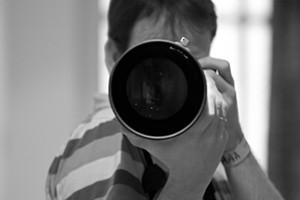
I like this tip. But I like this one even more:"click" - self-portrait

Bonus 11. It isn’t the camera or the lens, it’s the photographer that counts.

One of the nicest complements I have had was during an attack of the green eyed monster – I was observing another photographer who had a VERY nice rig. “Ah yes,” said my friend, “but you’ll probably get the nicer shots.” Ah, the artist’s ego – easily soothed. In support of point 11 though, some of my nicest shots have actually been taken with my Nokia N95’s camera phone.

Happy shooting!

Posted 1 year, 3 months ago at 10:29 am. 1 comment